Best AI Social Media Scheduler Tools in 2026
Publishing consistently across multiple social networks used to require hours of manual work: opening five browser tabs, resizing graphics, rewriting captions for different character limits, and calculating timezone differences. Today, an AI social media scheduler transforms that fragmented process into a unified, predictive workflow.
Instead of acting as a passive timer that releases content at predetermined intervals, modern AI scheduling tools analyze audience patterns, recommend platform-specific posting windows, convert a single concept across multiple networks, and coordinate review workflows before content goes live.
In this guide, we break down what an AI social media scheduler does, compare the seven leading tools on the market for 2026, and outline a step-by-step framework to automate your publishing cadence without sacrificing brand voice or oversight.
What Is an AI Social Media Scheduler?
An AI social media scheduler is an automated platform that combines generative content adaptation, predictive posting algorithms, and multi-network publishing into a single dashboard. Unlike traditional social media schedulers that simply push queued posts at static times, an AI scheduler actively optimizes when, how, and where your content is delivered.
At a functional level, an AI scheduler handles three core operations:
- Intelligent Timing Optimization: Evaluates past engagement signals and channel behavior to recommend high-impact publishing windows for each specific social profile.
- Cross-Platform Adaptation: Converts one core message into tailored variants—shortening copy for X, generating professional talking points for LinkedIn, and crafting punchy hooks for Instagram or TikTok.
- Publishing Status Verification: Manages scheduled queues across official social APIs, accounting for customer-specific timezones and pre-publish checks.
Why AI Scheduling Matters for Modern Marketing Teams
Maintaining an active footprint across platforms like Facebook, Instagram, LinkedIn, YouTube, X, Pinterest, TikTok, Threads, and Bluesky presents three persistent challenges for small businesses, marketing teams, and agencies:
1. Algorithmic Velocity Demands Consistency
Social algorithms reward consistent creators. When brands go silent for days or batch-dump five posts within thirty minutes, organic reach drops. AI scheduling maintains a steady, predictable cadence without requiring team members to be logged into apps during evenings or weekends.
2. The Cost of Manual Context Switching
Logging into individual creator dashboards eats up billable agency hours and creative energy. A centralized AI social media scheduling tool allows marketers to configure timezone-aware queues across all connected profiles from a single master calendar.
3. Cross-Network Tone Misalignment
Posting the exact same caption across LinkedIn, Instagram, and X is a common reason engagement stalls. Audiences expect different formats, hashtags, and reading depths on each channel. AI-powered adaptation tailors tone, length, and hashtag groups to each platform automatically before scheduling.
Comparison: The 7 Best AI Social Media Schedulers for 2026
To help you choose the right platform for your operational needs, here is an objective side-by-side comparison of the leading AI social media schedulers, evaluating core capabilities, platform support, and ideal use cases.
| Platform | Primary AI Strength | Supported Networks | Approval Workflows | Best Suited For | Pricing Model |
|---|---|---|---|---|---|
| SocialRocketAI | AI-suggested timing, multi-platform adaptation, website monitoring | 10 (FB, IG, YouTube, X, LinkedIn, Pinterest, Threads, TikTok, TikTok Business, Bluesky) | In-app client and team approvals with multi-brand workspaces | US small businesses, marketing agencies, multi-brand teams | Plans scale from $0; 7-day free trial (no credit card required) |
| Buffer | Buffer AI Assistant for ideation and rewriting | 8+ major networks | Basic draft approvals on Team plans | Solopreneurs, individual creators, simple publishing queues | Free tier; paid tiers priced per channel/month |
| Hootsuite | OwlyWriter AI for caption generation and repurposing | All major enterprise networks | Multi-tier enterprise approval workflows | Mid-market and enterprise corporate marketing teams | Starts around $99/seat/month |
| SocialBee | AI post generator and category-based queue scheduling | 7 major networks | Internal workspace permissions | Small businesses prioritizing evergreen queue recycling | Flat-rate monthly subscriptions |
| Sprout Social | Optimal Send Times algorithm, listening AI, CRM indexing | All major enterprise channels | Strict enterprise governance and compliance flows | Enterprise organizations needing deep social listening | Premium per-seat pricing starting at $199+/user/month |
| Predis.ai | Full multimedia generation (video, graphics, carousels from text) | Major visual platforms (IG, TikTok, FB, Pinterest, LinkedIn) | Basic review stages | E-commerce stores and creators needing instant video/asset creation | Tiered monthly plans based on AI generation credits |
| ContentStudio | AI caption generator, content discovery, and curation | All primary commercial social channels | Multi-tier team and client review workflows | Agencies and content marketing publishers | Tiered monthly plans scaling by workspaces and social accounts |
For an in-depth breakdown of channel workflows and structural trade-offs against legacy enterprise suites, review our detailed social media management comparisons.
In-Depth Review: How Each Tool Approaches AI Scheduling
1. SocialRocketAI
SocialRocketAI is designed specifically to solve the manual overhead that lean marketing teams and agencies face when managing multiple brands. Rather than treating AI as an isolated chatbot inside an editor, the platform integrates AI directly into the scheduling architecture.
Users configure their brand goals and receive recommended posting days, times, and content variations. The scheduler supports 10 platforms—including emerging channels like Bluesky and Threads alongside Facebook, Instagram, LinkedIn, and TikTok. Furthermore, SocialRocketAI couples scheduled delivery with built-in client approval workflows and website monitoring, ensuring marketing agencies can run their campaigns from a safe, centralized control center.
2. Buffer
Buffer remains one of the simplest queue-based publishing tools on the market. Its AI Assistant helps users draft copy, brainstorm topic ideas, and rewrite existing posts into shorter snippets. Buffer is an excellent choice for solo founders and creators with two or three channels. However, because Buffer bills on a per-channel basis, costs scale rapidly for businesses managing multiple client profiles.
3. Hootsuite
Hootsuite is an established enterprise social management suite. Its OwlyWriter AI assists with caption drafting and identifying high-performing historical posts to repurpose. Hootsuite excels at comprehensive team permission hierarchies, multi-layered social listening, and customer care streams. However, its starting price of nearly $100 per user per month makes it cost-prohibitive for small businesses and boutique marketing agencies.
4. SocialBee
SocialBee centers its scheduling engine on content categories (e.g., educational posts, promotions, behind-the-scenes). Its built-in AI post generator produces post variations directly inside these categories. It is particularly effective for businesses that rely on evergreen content recycling queues, though it lacks native website monitoring and broader agency workspace segmentation.
5. Sprout Social
Sprout Social delivers enterprise-grade publishing paired with deep social CRM and listening data. Its patented "ViralPost" technology calculates optimal send times on a per-account basis using historical engagement models. While exceptionally robust for Fortune 500 brand governance and compliance, its entry tier ($199+ per user per month) places it out of reach for resource-conscious teams.
6. Predis.ai
Unlike schedulers that focus strictly on text captions and calendar queues, Predis.ai is an asset-generation engine. Enter a brief description of a product, and Predis generates complete Instagram reels, carousel graphics, and video scripts alongside post captions. It is highly valuable for e-commerce stores, though teams requiring client-facing approvals and complex cross-brand scheduling often need to pair it with a dedicated workspace tool.
7. ContentStudio
ContentStudio is engineered for digital marketing agencies that manage multiple publishing calendars. It pairs AI writing with a content discovery engine that pulls trending industry articles. It features collaborative review workflows and visual calendar management, serving as a versatile publishing hub for agency content teams.
Step-by-Step Implementation: Building a Multi-Network AI Scheduling Workflow
Deploying an AI social media scheduler requires more than feeding prompts into a text box. Follow this verified 5-step operational workflow to build a predictable, repeatable publishing system.
Step 1: Map Profiles and Workspace Scopes
Begin by organizing accounts into distinct workspaces. If you manage multiple brands or agency clients, keep their publishing setups completely separate. Each workspace should store its own timezone settings, default brand voice guidelines, and destination permissions to prevent accidental cross-posting.
Step 2: Define Core Content Pillars
Before scheduling, establish three to five core content themes for each brand. For example:
- Pillar A: Practical Problem-Solving (Educational): Industry tips, tactical how-to breakdowns, and checklists.
- Pillar B: Social Proof and Case Studies: Customer wins, project results, and before-and-after metrics.
- Pillar C: Company Culture and Behind-the-Scenes: Team spotlights, product updates, and raw working observations.
Step 3: Generate Base Content and Adapt Per Platform
Create a master thought or announcement once, then adapt it using platform-specific parameters. Notice how the same foundational insight shifts across networks in this practical B2B SaaS example:
Master Concept: The risk of manual spreadsheet publishing schedules.
- LinkedIn Adaptation: Focuses on operational inefficiency, lost agency billing hours, and the management risk of missed client approvals. Professional tone, structured line breaks, and clear conversational questions.
- X (Twitter) Adaptation: Condensed to 240 characters highlighting a sharp, candid truth: "Spreadsheets are great for accounting, but terrible for social publishing. One formula break and your weekend posts fail to fire."
- Instagram / Facebook Adaptation: Accompanied by a clean visual carousel showing the difference between a messy spreadsheet vs. an integrated calendar view, paired with community-focused caption copy and targeted hashtags.
Step 4: Establish Human-in-the-Loop Review
Never send AI-generated copy straight to live publishing queues without human validation. Generative models can introduce subtle hallucinations, off-brand phrasing, or broken formatting. Implement an approval stage where a project manager or client reviews scheduled items in your content queue, requests edits, and provides sign-off.
Agencies can review how structured review stages function in our dedicated guide to social media solutions for agency.
Step 5: Configure Timezone-Aware Publishing Queues
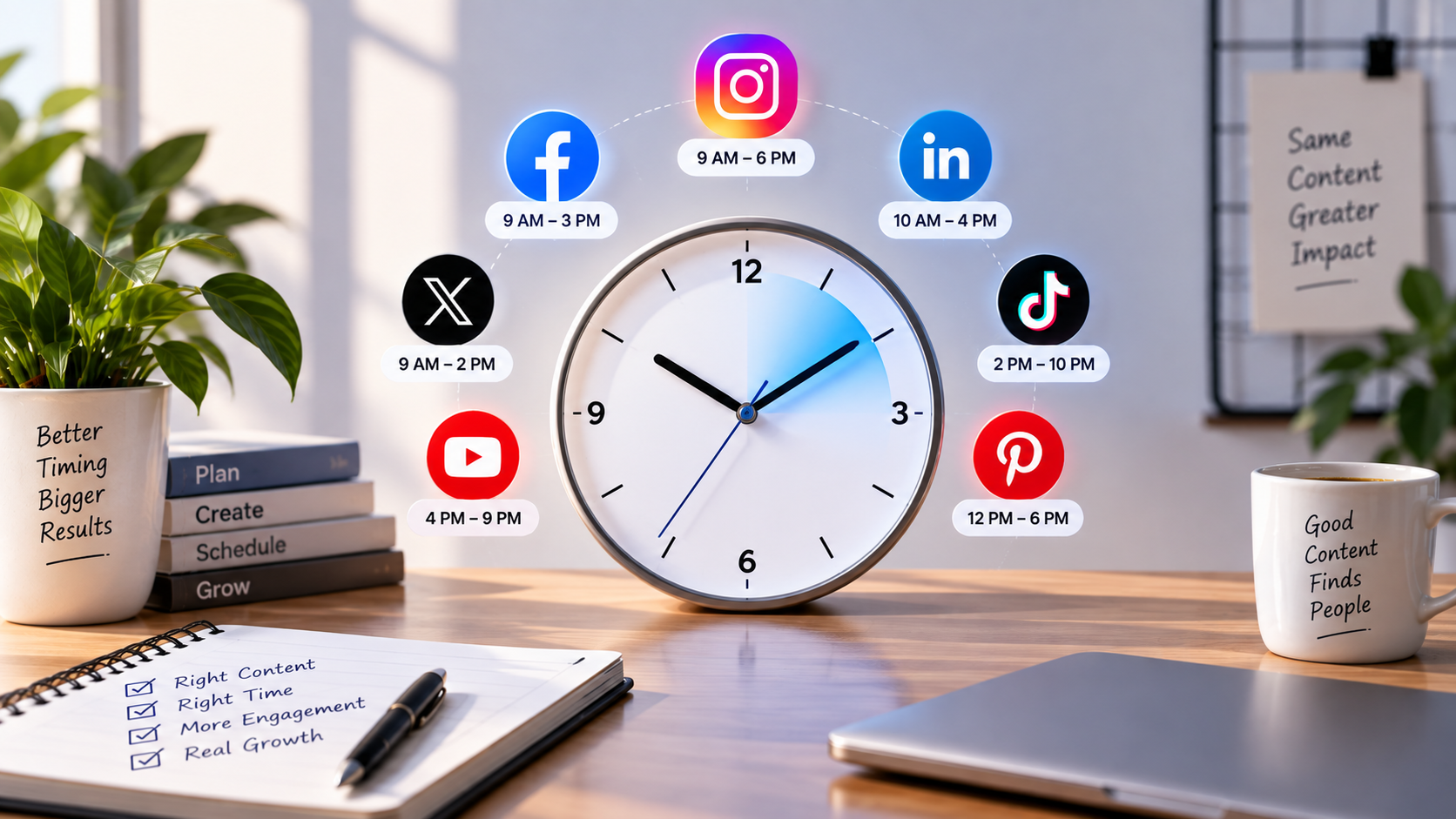
Set up automated publishing windows tailored to your target demographic. For US-based campaigns, account for time differences across Eastern, Central, Mountain, and Pacific time zones. With timezone-aware scheduling, a post configured to publish at 9:00 AM for a West Coast brand fires precisely at 9:00 AM PST, eliminating manual timezone conversion errors.
3 Practical Prompt Templates for AI Scheduling
To maximize caption quality inside your scheduler's AI writer, use structured prompts that define role, context, platform constraints, and desired actions:
Template 1: B2B Thought Leadership (LinkedIn)
Act as a B2B Marketing Strategist. Rewrite this core concept into a high-engagement LinkedIn post:
Concept: [Paste your brief or announcement here]
Target Audience: Operations directors and marketing agency founders.
Constraints:
- Strong 1-line hook that challenges conventional thinking.
- Use clean 1-2 sentence paragraphs for mobile readability.
- No buzzwords (avoid "synergy", "game-changer", "unleash").
- Conclude with a direct question inviting tactical perspectives.
Template 2: Visual Hook and Platform Adaptation (Instagram / Threads)
Convert this product feature update into a conversational Instagram caption:
Feature Details: [Insert feature notes]
Goal: Encourage followers to save the post or try the workflow.
Tone: Helpful, candid, concise.
Format:
- 1 punchy headline hook.
- 3 bullet points outlining the specific workflow steps.
- Call to action pointing to the link in bio.
- 4-5 relevant, non-spammy industry hashtags.
Template 3: Short-Form Video Script & Caption (TikTok / YouTube Shorts)
Write a 30-second video script and scheduled caption based on this topic:
Topic: [Insert topic]
Requirements:
- Visual hook description (first 3 seconds).
- Voiceover copy broken into Hook, Problem, Solution, and CTA.
- A 2-sentence accompanying caption optimized for in-app search discovery.
Common AI Scheduling Mistakes to Avoid
While AI scheduling tools accelerate output, relying on them carelessly can damage brand reputation. Avoid these four common operational pitfalls:
- Setting and Forgetting Without Calendar Monitoring: Leaving a scheduler unmonitored for weeks can result in tone-deaf posts publishing during breaking news, national emergencies, or sudden brand crises. Regularly audit your scheduled posts queue.
- Failing to Adapt Image Ratios: Scheduling a 16:9 landscape image across Instagram, Pinterest, and TikTok leads to awkward cropping and amateurish presentation. Verify that your media assets match each platform's required aspect ratios before scheduling.
- Over-Automating Brand Voice: Generative models default to predictable clichés unless guided by clear voice instructions. Treat AI drafts as a strong first draft that requires a human editor's final touch.
- Ignoring Destination Permissions: When managing multiple accounts under one network (e.g., several Facebook or LinkedIn company pages), verify the exact account destination prior to confirming the schedule.
Centralize Your Publishing Cadence with SocialRocketAI
Successful social media management comes down to consistency, quality, and control. When your scheduling tool handles timezone logistics, platform formatting, and automated delivery, your team can focus on what actually drives revenue: creating remarkable content, analyzing audience response, and building customer relationships.
Whether you are a growing business seeking to establish a steady cadence or an agency coordinating multi-client approvals, SocialRocketAI provides a unified, timezone-aware scheduling system built for scale.
Join the Discussion
Be the first to comment.