How Social Rocket AI
works
Social Rocket AI turns one idea into posts for up to 10 social platforms in six steps: prepare content, connect platforms, generate and edit with AI, format for each platform, publish in the right timezone, then publish or schedule. It all happens in one dashboard, with checks and approvals before anything goes live.
From idea to published post in six steps
These are the same six stages you move through when you create a post in the app.
- 1
Prepare your content
Start with an idea, draft, or media asset and choose the content you want to turn into a social post. You can write it yourself or use AI to prepare captions, hashtags, and visuals before selecting destinations.
- 2
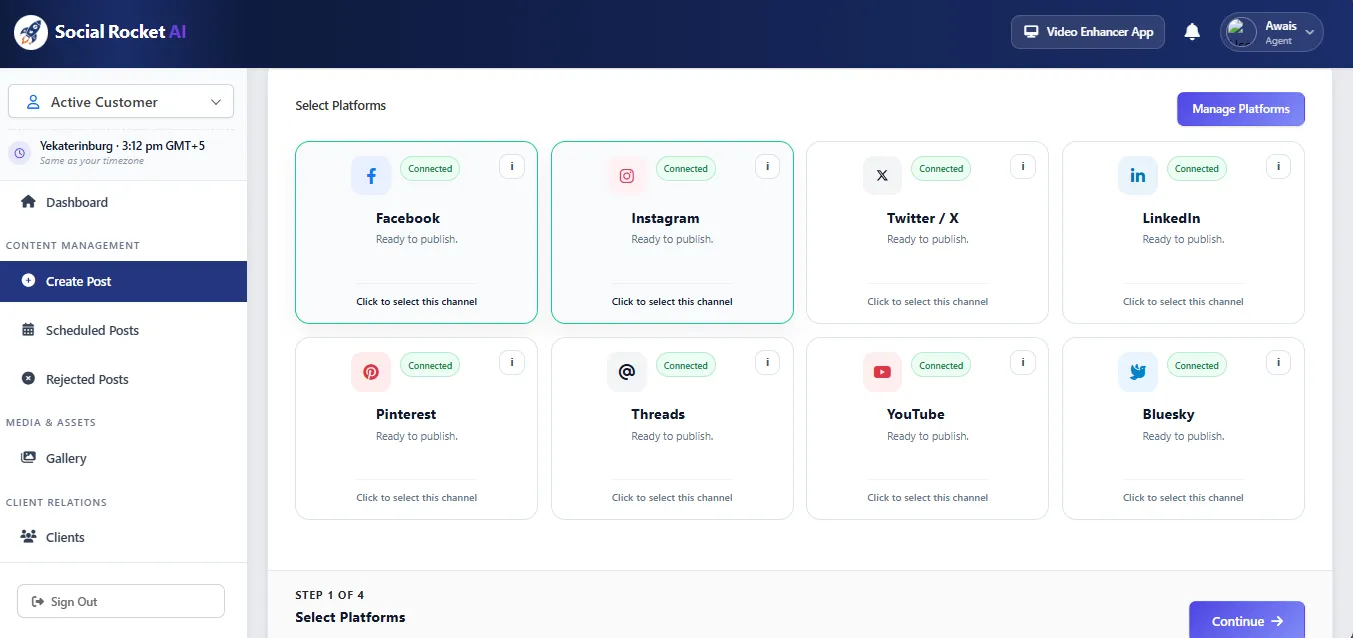
Connect your platforms
Connect the social accounts you manage through their supported platform integrations. Each connected destination keeps its own publishing permissions and account configuration.
- 3
Draft with AI
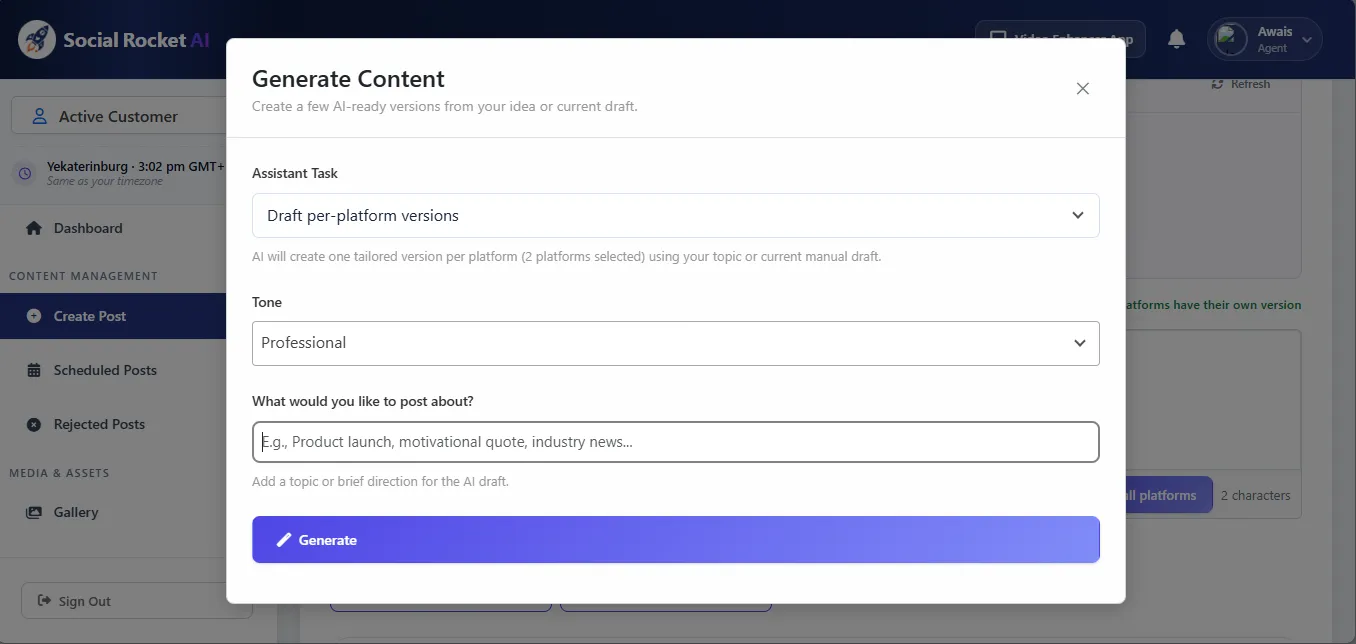
Write the post yourself or describe what you want. AI uses your saved brand description to draft captions, hashtags, and ideas, can create one tailored version per platform, and can generate images from a text prompt.
- 4
Prepare media and publishing rules
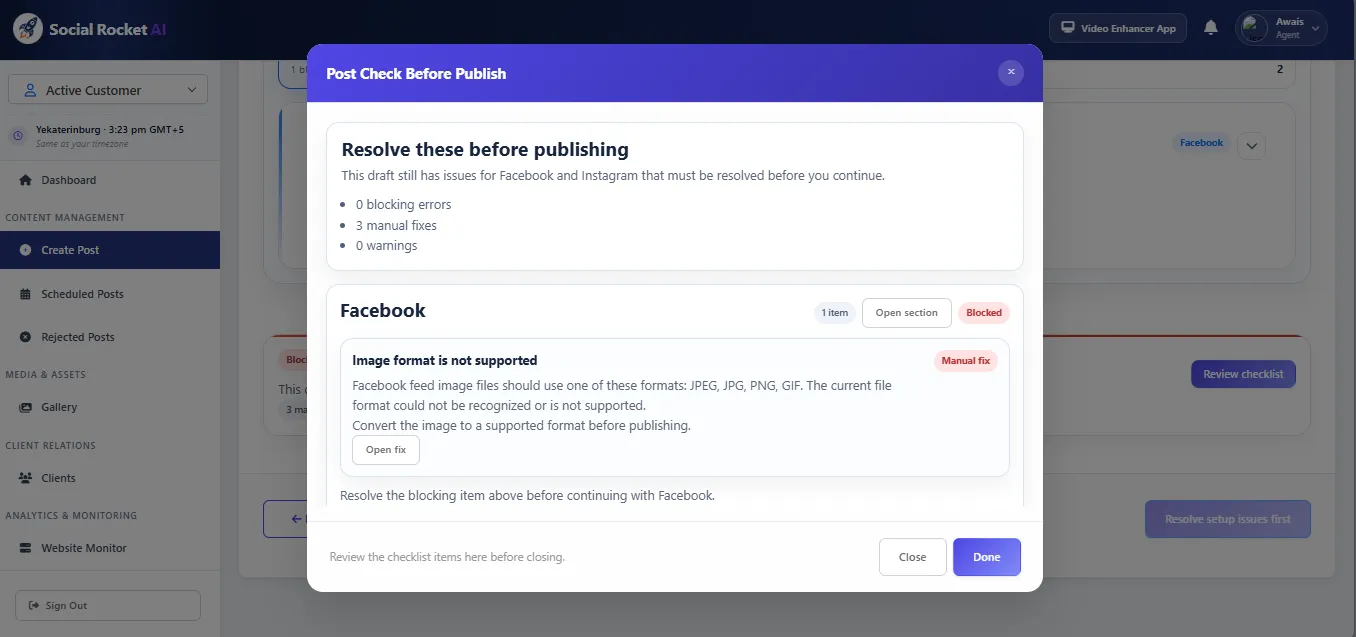
Add media from your library, fine-tune each platform version, and set the schedule. Pre-publish checks list anything a platform would reject — such as an unsupported image format — so it can be fixed before the post moves on.
- 5
Format for each platform
Review the platform-specific version of your content, including its media requirements, character limits, and format. Pre-publish checks help catch issues before anything goes live.
- 6
Publish or schedule
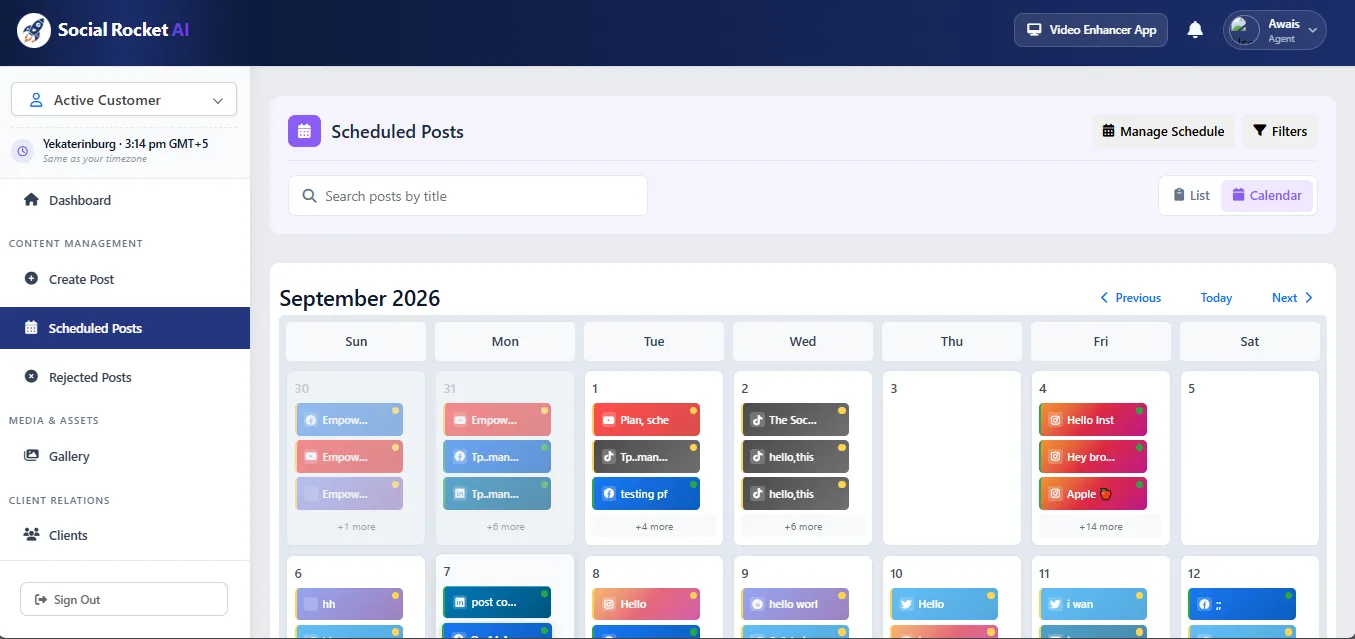
Preview the post, then publish now or place it on the calendar. Posts that need sign-off go through approval first, and the calendar keeps scheduled and published posts in one view across every connected platform.
Around the publishing flow
Tools that sit alongside the six steps
Multi-Brand Management
Run several brands or client accounts from one dashboard, each with its own timezone.
Learn moreWebsite Monitoring
Keep an eye on uptime and SSL for the sites your posts link to.
Learn moreVideo Reframer
Crop, fit, pad, or resize one video for Reels, TikTok, Shorts, and more.
Learn moreTry the six steps with your own content
Start your 7-day free trial, connect a platform, and publish your first post.
Start 7-Day Free Trial